Zoom is requiring OBF tokens for Meeting SDK apps joining external meetings starting March 2, 2026. We break down what this means and how to prepare.
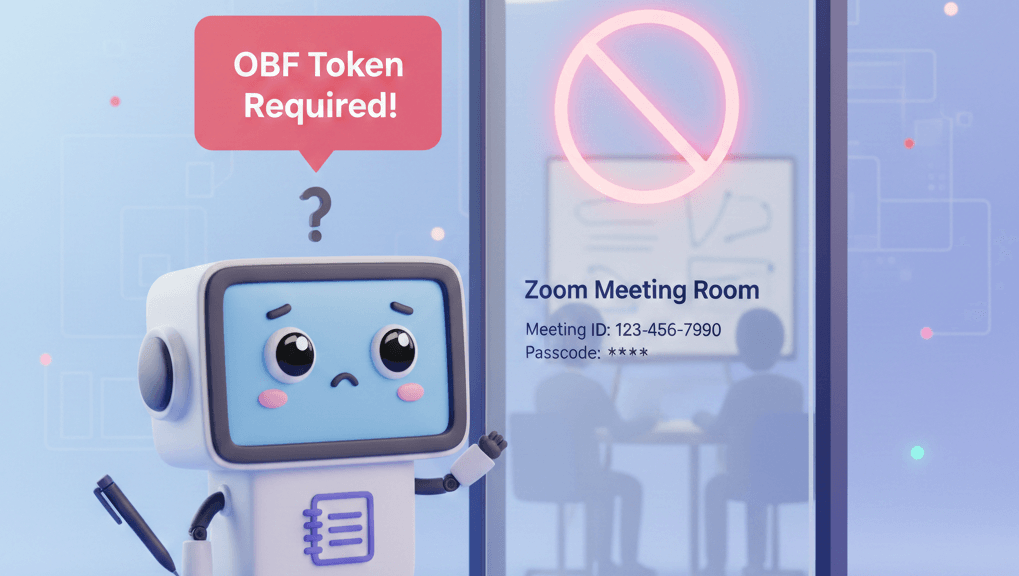
Zoom announced a significant change to how Meeting SDK applications join meetings. Starting March 2, 2026, bots joining meetings they did not create will need an On Behalf Of (OBF) token.
We have already shipped full OBF support in Meeting BaaS. This post explains what the change means and how to update your integration. For the full picture of what our Zoom bots can do, see the Zoom meeting bot API page.
Read Zoom's official announcement for the complete technical details.
The Short Version
| Before March 2, 2026 | After March 2, 2026 |
|---|---|
| Bot joins any Zoom meeting with SDK credentials | Bot needs OBF token to join external meetings |
| No user authorization required | A Zoom user must authorize the bot via OAuth |
| Bot operates independently | Authorized user must be present in meeting |
An "external meeting" is any meeting not created by accounts within your Zoom organization. For most Meeting BaaS customers, that means most meetings.
What is an OBF Token?
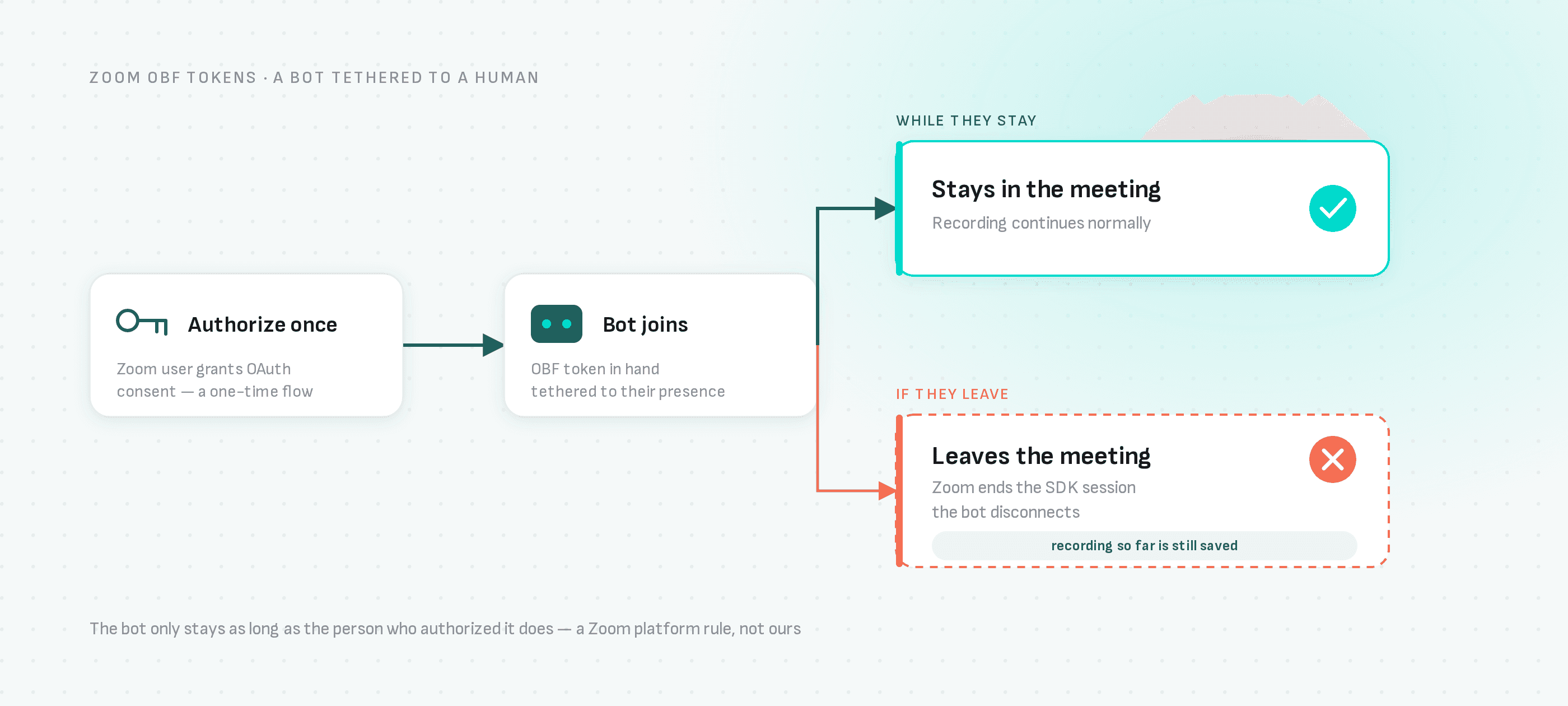
OBF stands for "On Behalf Of." It is a token that represents authorization from a specific Zoom user. When your bot presents an OBF token, it proves that someone said "this bot can join meetings on my behalf."
Two important constraints come with this:
- The user must authorize your app via OAuth (one-time consent flow)
- The user must be present in the meeting while the bot is active
If the authorized user leaves, Zoom ends the SDK session and the bot disconnects. This is a Zoom platform requirement.
Who Needs to Act?
You need OBF tokens
Your bots join meetings created by people outside your Zoom organization. This includes most notetaking, transcription, and recording use cases.
You might not need OBF tokens
Your bots only join meetings within your own Zoom account. Using your own SDK credentials makes these meetings "internal."
Quick Decision Guide
| Your Use Case | What You Need |
|---|---|
| Recording meetings for your own team | SDK credentials (no OBF needed) |
| Building a product for external customers | OBF tokens required |
| Joining meetings hosted by others | OBF tokens required |
| Only Google Meet or Teams | No changes needed |
Using SDK Credentials
If your bots only join meetings within your Zoom organization, you can avoid OBF entirely by using your own SDK credentials.
When you pass zoom_sdk_id and zoom_sdk_pwd to Meeting BaaS, the bot authenticates with your Zoom app. Meetings joined this way are considered "internal" to your account.
{
  "meeting_url": "https://zoom.us/j/123456789",
  "bot_name": "Team Recorder",
  "zoom_sdk_id": "YOUR_SDK_KEY",
  "zoom_sdk_pwd": "YOUR_SDK_SECRET"
}
This approach works well for teams recording their own meetings. No OAuth flow, no user authorization, no OBF tokens.
See the Zoom App Setup guide for how to create your Zoom app and get these credentials.
Implementing OBF Tokens
For external meetings, you need OBF tokens. Meeting BaaS supports three ways to provide them:
| Option | How It Works | Best For |
|---|---|---|
| Direct Token | You fetch the token yourself and pass it to us | Testing, existing OAuth infrastructure |
| Token URL | You host an endpoint that returns tokens | Keeping credentials on your servers |
| Managed OAuth | We store credentials and handle refresh | Most customers |
Option 1: Direct Token
Fetch the OBF token from Zoom yourself and pass it when creating the bot:
{
  "meeting_url": "https://zoom.us/j/123456789",
  "bot_name": "Recording Bot",
  "zoom_obf_token": "eyJ0eXAiOiJKV1Qi..."
}
Option 2: Token URL
Host an endpoint that returns OBF tokens. The bot calls it at join time:
{
  "meeting_url": "https://zoom.us/j/123456789",
  "bot_name": "Recording Bot",
  "zoom_obf_token_url": "https://your-api.com/zoom/obf-token"
}
Option 3: Managed OAuth (Recommended)
Send us the OAuth authorization code. We store the tokens and handle refresh automatically:
{
  "meeting_url": "https://zoom.us/j/123456789",
  "bot_name": "Recording Bot",
  "zoom_obf_token_user_id": "SeJwoMGwTCu52501SbDC0Q"
}
Most customers should use Option 3. You build a "Connect Zoom" button, your user authorizes once, and Meeting BaaS handles the rest.
v2 API: Improved Zoom Credential Management
If you're using Meeting BaaS v2, you get additional features for managing Zoom credentials:
| Feature | Description |
|---|---|
| Credentials API | Store SDK and OAuth credentials once with /v2/zoom-credentials |
| Unified Configuration | Single zoom_config object instead of multiple parameters |
| Credential Types | Separate "app" (SDK only) and "user" (OAuth with OBF) credentials |
| State Tracking | Monitor credential health with active/invalid states |
| Error Tracking | last_error_message and last_error_at for debugging |
| AES-256-GCM Encryption | All secrets and tokens encrypted at rest |
Instead of passing credentials with each request, store them once and reference by ID:
{
  "meeting_url": "https://zoom.us/j/123456789",
  "bot_name": "Recording Bot",
  "zoom_config": {
    "credential_id": "a1b2c3d4-e5f6-7890-abcd-ef1234567890"
  }
}
See the v2 Zoom Integration Guide for details.
The Authorized User Constraint
This is the part that trips people up: the Zoom user who authorized your app must be in the meeting while the bot records.
For teams recording their own meetings, this usually works naturally. The person who set up the integration is likely running the meeting.
For platforms where customers request recordings, you need to communicate this. The person who connected their Zoom account needs to join before the bot can enter.
What happens if they are not there?
The bot waits. It retries joining every few seconds until either the user shows up or a timeout expires (configurable via waiting_room_timeout).
What happens if they leave mid-meeting?
The bot disconnects. Zoom ends the SDK session. Any recording up to that point is still saved and processed.
What About Continuous Recording?
OBF tokens are designed for user-attended meetings. If you need recording that continues regardless of who is present, Zoom is developing Real-Time Media Streams (RTMS).
We are working on RTMS support. However, RTMS has different trade-offs: it runs as an app inside the meeting (not a visible bot participant) and does not yet support bidirectional audio streaming.
For most use cases, OBF with the presence requirement works fine.
Timeline
| Date | What Happens |
|---|---|
| Now | OBF support is live in Meeting BaaS |
| February 2026 | Start testing your integration |
| March 2, 2026 | Zoom enforces OBF for external meetings |
You have about three weeks. We recommend starting now.
Getting Started
Figure out your path
Do your bots join meetings created by external accounts? If yes, you need OBF tokens. If no, SDK credentials may be enough.
Set up your Zoom app
Create a Zoom General App with Meeting SDK enabled. Add the user:read:token scope (and user:read:user for the managed OAuth option) if you are using OBF.
Implement your chosen option
Follow our detailed guide for whichever OBF option fits your use case.
Test before March 2
Run real tests with actual Zoom meetings to verify everything works.
Resources
Meeting BaaS Documentation:
- Zoom OBF Token Documentation (v1)
- Zoom Integration Guide (v2)
- Zoom Credentials API (v2)
- Zoom App Setup Guide
Zoom Official Resources:
Questions?
Reach out if you need help choosing the right approach or have questions about migration. We are working through this transition with our customers.
Contact us or check the community support channels.