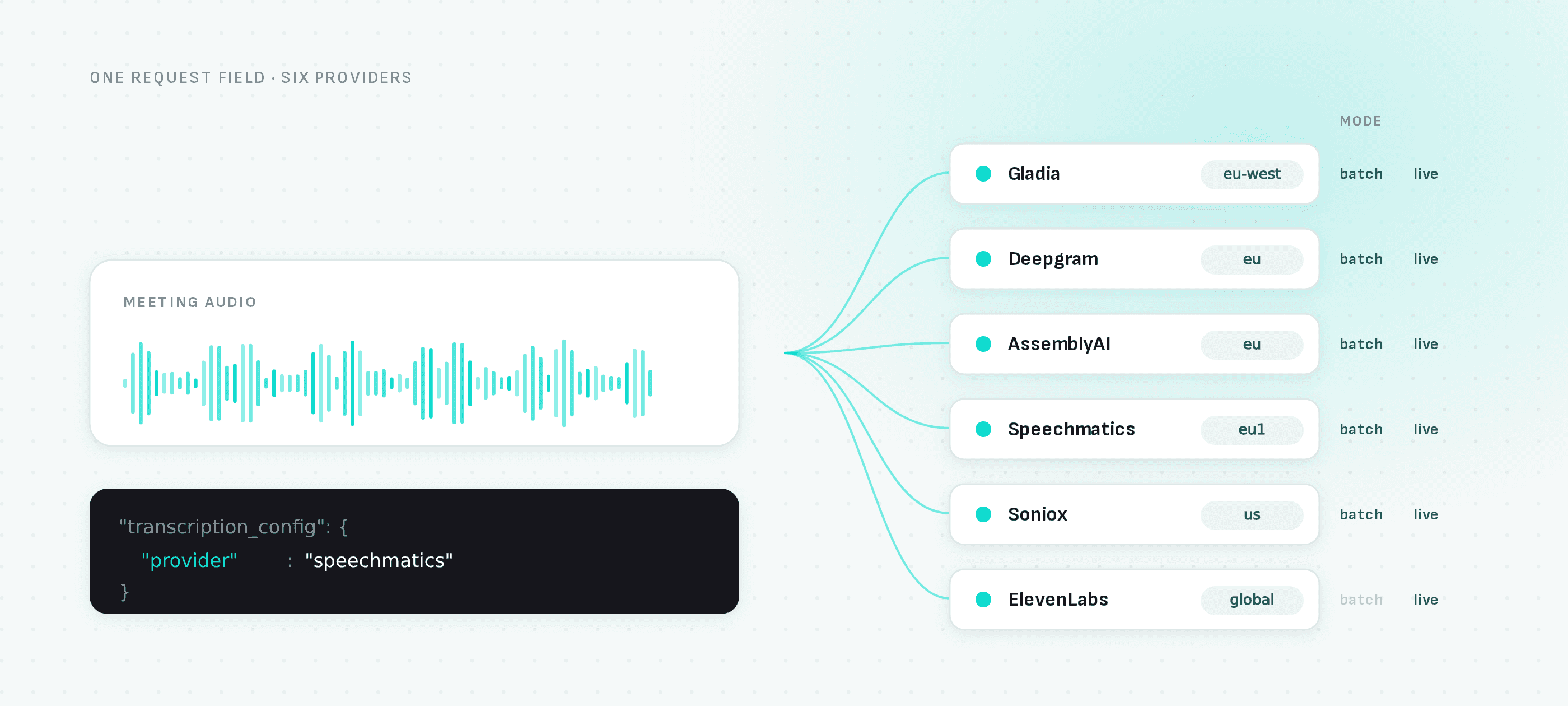
Gladia, Deepgram, AssemblyAI, Speechmatics, Soniox and ElevenLabs, selected per bot, with your own API key, your own region, and full pass-through of every provider-specific option.
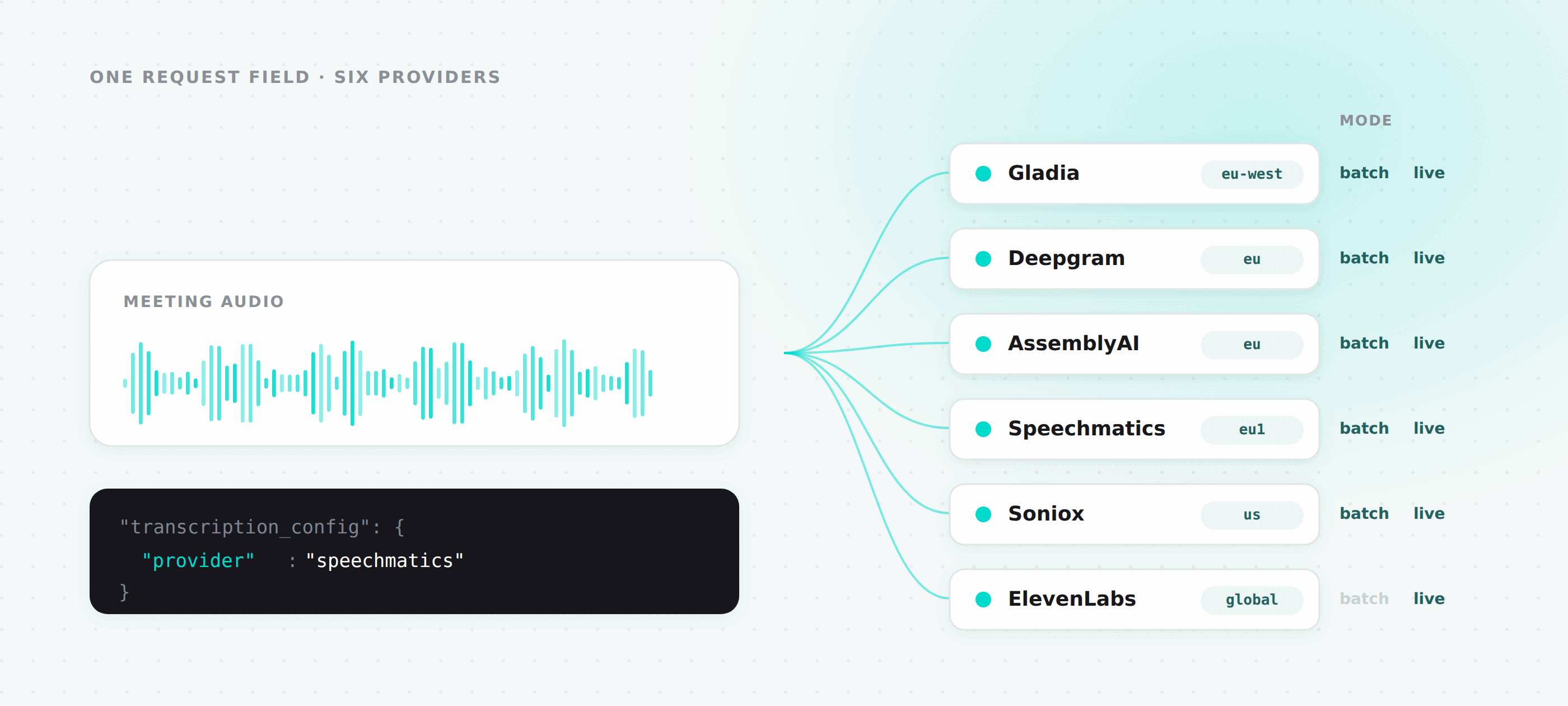
Picking a speech-to-text provider is not a decision you get to make once. Accuracy on your domain, price per hour, the languages you need, whether the vendor will sign a DPA with data staying in the EU, and how well diarization holds up when three people talk over each other, all of it changes, and none of it is the same answer for every customer.
So we stopped picking. You choose the provider per bot, and you can change your mind on a recording you already have.
What you can choose from
| Provider | Batch | Live |
|---|---|---|
gladia | ✅ | ✅ |
deepgram | ✅ | ✅ |
assemblyai | ✅ | ✅ |
speechmatics | ✅ | ✅ |
soniox | ✅ | ✅ |
elevenlabs | — | ✅ |
ElevenLabs is streaming-only. The other five do both.
Batch is what most people want: the meeting ends, the audio is submitted, a webhook brings back the transcript with speaker labels and word-level timings. Live means transcript segments arriving on a WebSocket while the meeting is still going, for anything that has to react in the room.
They are configured independently, and you can run both on the same bot with different providers if you want a fast live feed and a more accurate final transcript.
Batch
{
  "meeting_url": "https://meet.google.com/abc-defg-hij",
  "bot_name": "Recording Bot",
  "transcription_enabled": true,
  "transcription_config": {
    "provider": "speechmatics",
    "region": "eu2",
    "api_key": null,
    "custom_params": null
  }
}
Four fields. provider defaults to "gladia" if you omit it. region, api_key and custom_params all default to null and are covered below.
transcription_config is required when transcription_enabled is true, and ignored when it is false.
Once the bot finishes, transcription_provider and transcription_ids come back on the bot record and in the webhook payload, and GET /v2/bots/:bot_id/status reports live transcription_status polled from the provider itself: not-applicable, not-started, queued, processing, done, or error.
Region pinning
Most of these providers run in more than one region, and for a lot of our customers that is the whole ballgame.
| Provider | Batch regions | Live regions |
|---|---|---|
gladia | global endpoint only | us-west, eu-west |
deepgram | global, eu | global, eu |
assemblyai | us, eu | us, eu |
speechmatics | eu1, eu2, us1, us2, au1 | same |
soniox | us, eu, jp | same |
elevenlabs | — | global, us, eu, in |
Send a region a provider does not have and you get a 400 at bot creation with the allowed values listed, rather than a surprise later. Gladia's batch API is global-only, and passing region with provider: "gladia" on the batch config is rejected for that reason. Its live API does have regions.
Leave region null and we pick a sensible default: eu for Deepgram and AssemblyAI, eu1 for Speechmatics, us for Soniox.
If you need audio never to leave a jurisdiction, pair this with bring your own storage. Providers fetch audio from a signed URL on the bucket, so the bucket location and the provider region together determine where the audio actually goes.
Bring your own key
Pass api_key and we use your account with that provider instead of ours.
{
  "transcription_config": {
    "provider": "deepgram",
    "region": "eu",
    "api_key": "your-deepgram-key"
  }
}
Keys are encrypted with AES-256-GCM before they are stored and stay encrypted in transit to the bot, which decrypts at the point of use. When you delete a bot's data the stored key is overwritten.
Two reasons to use it. The first is cost: transcription on our key bills at 0.25 tokens per hour, on yours at 0.05. The second is that some things are only possible on your own account, like a custom vocabulary you have trained or a contract with terms we do not have.
BYOK is available on Pro plans and above. Without it you get FST_ERR_BYOK_TRANSCRIPTION_NOT_ENABLED_ON_PLAN.
Provider options, passed straight through
We deliberately did not build a normalized options layer. Every provider has features the others do not, and flattening them to a common denominator would mean throwing away the reason you picked that provider.
custom_params goes to the provider more or less as you wrote it:
{
  "transcription_config": {
    "provider": "speechmatics",
    "region": "eu2",
    "custom_params": {
      "transcription_config": {
        "language": "en",
        "diarization": "speaker",
        "operating_point": "enhanced"
      }
    }
  }
}
Dot notation works too, if it is easier to build:
{ "custom_params": { "diarization_config.min_speakers": 2 } }On the live config it is unflattened before validation, so you validate the shape the provider will actually receive. On the batch config the flat key is validated as written and unflattened later, at submission.
In the live config, four fields are set by the pipeline and rejected if you send them: encoding, sample_rate, bit_depth, channels. Sample rate in particular is negotiated per provider from the meeting audio, so overriding it would break the stream. Use streaming_config.audio_frequency instead.
Diarization defaults to on, because without it you get a wall of text with no speaker labels, and at least one provider silently returns no utterances at all unless you ask for it. An explicit value in custom_params wins.
The gotcha: batch and live take different shapes
This is the thing that costs people an afternoon, so it is worth stating plainly. For the same provider, the live API and the batch API do not accept the same parameter shape.
Gladia is the clearest example. Batch takes translation config at the top level. Live wants it nested under realtime_processing:
{
  "streaming_config": {
    "mode": "transcription",
    "output_url": "wss://your-app.example.com/transcripts",
    "audio_frequency": 24000,
    "transcription": {
      "provider": "gladia",
      "region": "eu-west",
      "api_key": "your-gladia-key",
      "custom_params": {
        "language_config": { "languages": ["ru"] },
        "realtime_processing": {
          "translation": true,
          "translation_config": { "target_languages": ["en"] }
        }
      }
    }
  }
}
Live params are validated in strict mode, because live session APIs reject unknown keys outright and we would rather fail your bot creation than fail your meeting. When you send a key that belongs one level down, the error tells you where it goes:
'translation' is not a top-level field of the gladia live API —
did you mean 'realtime_processing.translation'?
(the live API shape differs from batch)
Both batch and live params are checked against each provider's own schema at bot creation, so a typo comes back as a 400 in a second rather than a failed transcription an hour later. Two caveats on how strict that is. Batch parsing is permissive, so an unknown batch key passes validation and is forwarded for the provider to deal with; only live rejects unknown keys. And ElevenLabs live params are passed through without validation, because there is no published schema for us to check them against.
Live output
With mode: "transcription", we open the provider session, feed it the meeting audio, and forward events to your output_url as JSON:
{
  "event": "transcript.segment",
  "bot_id": "a1b2c3d4-e5f6-7890-abcd-ef1234567890",
  "data": {
    "text": "so the migration lands Thursday",
    "isFinal": true,
    "utteranceStart": 12.44,
    "utteranceEnd": 14.91,
    "confidence": 0.97,
    "speaker": { "name": "Alice", "id": 1 },
    "words": []
  }
}
Also session.started with the provider that was used, translation when you have asked for it, and error. We ping every 30 seconds to keep intermediaries from closing an idle socket.
One constraint: live sessions on our platform key are limited to a managed set of providers, currently Gladia. Any other provider for live transcription needs a BYOK key, and we reject that at bot creation with FST_ERR_STREAMING_TRANSCRIPTION_KEY_UNAVAILABLE rather than discovering it when the meeting starts.
Changing your mind
POST /v2/bots/:bot_id/retranscribe{
"transcription": {
"provider": "assemblyai",
"region": "eu",
"api_key": "your-assemblyai-key"
}
}The stored audio is resubmitted to a different provider and the bot's config is updated. This is how you A/B two vendors on your own meetings instead of on their demo audio, and it is how you recover a transcription that failed.
Deleting a bot's data takes the transcript out of the provider too, with ?delete_from_provider=true (the default), using your own key where you supplied one.
What happens when a provider has a bad day
A failed submission is retried twice, at 5 and 15 seconds, for three attempts in total. Only errors where a retry could plausibly work are eligible: rate limits, 5xx, connection and polling timeouts, network-level failures, and the case where the provider returned a 2xx with a body containing no job id. Authentication errors, invalid input, and unsupported operations are never retried, because they will fail identically the second time.
Each retry rotates the callback secret before resubmitting. That closes a real race: if the provider actually accepted a job whose response timed out on our end, its callback arrives against a secret that no longer exists and is rejected, instead of racing the retried job and producing two transcripts for one chunk.
There is no automatic failover to a second provider, and I would rather say that plainly than let you find out during an incident. If the provider you chose fails after retries, the bot ends in failed with TRANSCRIPTION_FAILED, and the recording and audio artifacts are all still there. Recovery is a retranscribe call, optionally naming a different provider. Silently switching vendors would mean a transcript in a jurisdiction you did not agree to, at a price you did not agree to, so it is a decision we leave with you.
Related
- Bring Your Own Storage — control where the audio the provider reads actually lives
- Meeting BaaS API reference